Team viewing guides
How to Watch LSU Women’s Basketball in 2026–27
LSU women's basketball attracts attention well beyond its home crowd, but finding the correct broadcast still requires a game-by-game approach. A television sel
By Basketball Schedule Editorial Team · Published · Updated · 8 min read
The practical starting point
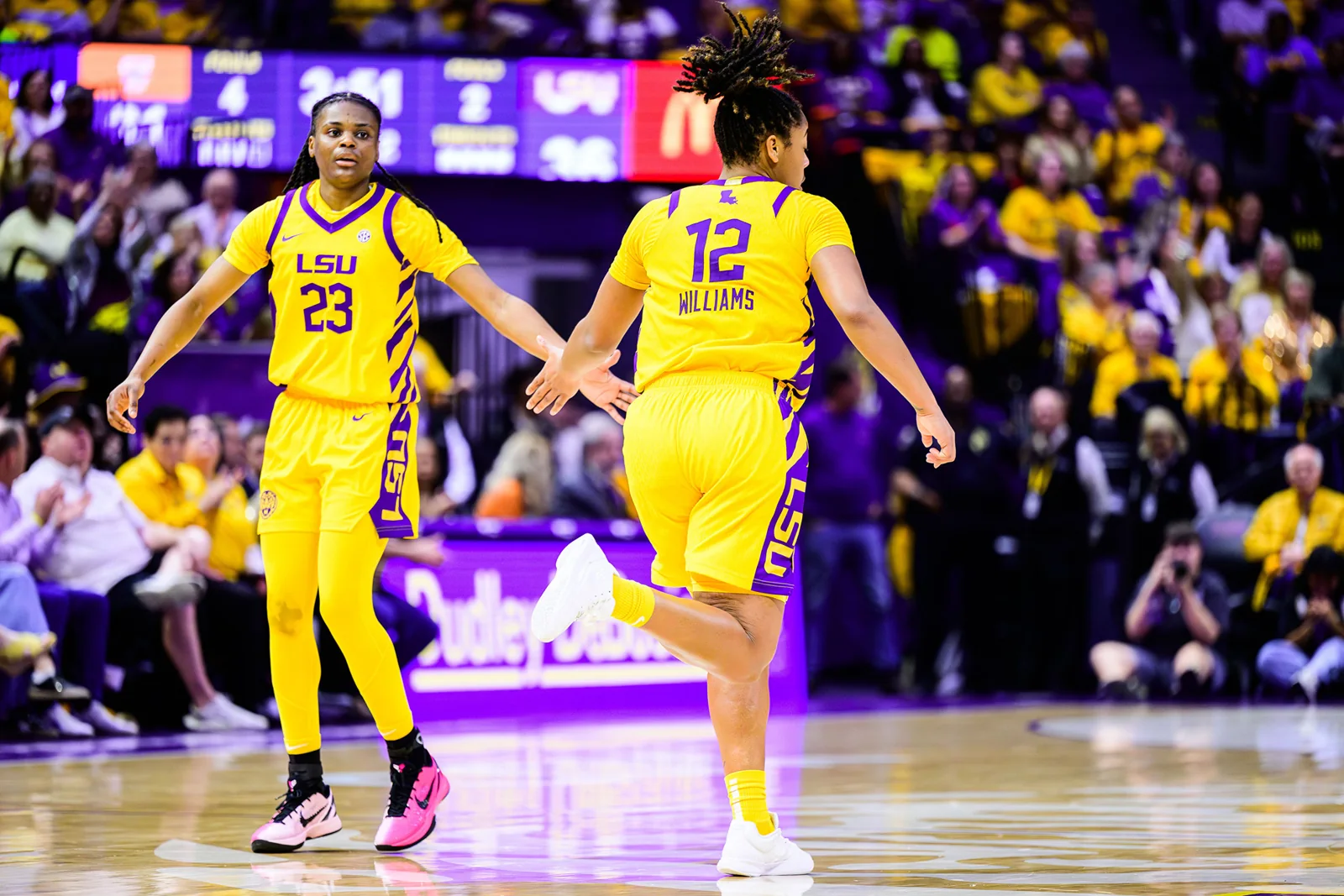
LSU women's basketball attracts attention well beyond its home crowd, but finding the correct broadcast still requires a game-by-game approach. A television selection for one opponent does not establish how the next fixture will be distributed. Start with the official LSU listing and treat every new broadcast label as information worth reading.
For an SEC game, the conference's announcements help explain the broader television picture. They do not remove the need to check the particular fixture, especially when an event is assigned to a digital service rather than a television channel. Distinguish the SEC Network and SEC Network+ labels, then compare the requirement with the access your account actually includes.
Road games can be the point at which an otherwise comfortable viewing routine becomes confusing. The host or event organizer may provide the most direct link to coverage, and a neutral-site contest can have separate session instructions. Keep the opponent, venue and date together so that a previous LSU meeting does not appear to answer a question about the new game.
There is a basketball reason to watch beyond the biggest national dates as well. Different opponents test different parts of a roster. A game against pressure can tell you about ball handling and decision-making; another might ask how consistently LSU completes defensive possessions with a rebound. Following those themes makes the next major matchup easier to understand.
I would build a short plan for the next month, identify the broadcasts I expect to watch live and save a replay or audio option for the rest. That is usually more useful than buying a large package first and hoping the schedule will fit it. The sections below provide a practical way to turn that plan into a reliable routine.
Read the game listing before choosing a service
A useful viewing plan starts with a game, not with a subscription advertisement. Open the official schedule and identify the opponent, date, location and broadcast label for the exact fixture. Home games and away games can have different arrangements, and an exhibition may be distributed differently from a regular-season contest. A familiar logo on the page is not enough: follow the link beside the individual game.
Keep the date and the time zone together when you save the information. A schedule may display the home institution's local time, while a streaming app converts the start to your device settings. Those are two views of the same event, not necessarily a disagreement. When a listing says television information is pending, treat that as unfinished information rather than permission to assume last year's channel will return.
I would make one final check on game day, especially before paying for access. A screenshot from August is useful evidence of what was announced then, but the current official event page is the better place to resolve a late change.
Away games deserve their own broadcast check
Following one team does not mean that every game has the same distribution. The venue, the event organizer and the applicable rights arrangements can affect where a broadcast appears. A familiar home-game routine therefore should not become an automatic assumption when the team travels. Neutral-site games deserve the same extra attention.
Read both institutions' listings when something looks inconsistent. One schedule may have been updated sooner, or a link may point to audio rather than video. The host's current event page and the broadcaster's own schedule can help resolve the difference. Check the actual opponent and date so that you do not open a previous meeting or a different sport with a similar label.
This matters particularly around holiday events and the transition into conference play. A supporter who watched the opening home games through one route can reasonably expect continuity, yet the next road contest may require a different authorized service. Checking those dates as a group at the beginning of the month makes the season easier to manage and reduces last-minute purchases.
Build a viewing budget around the games you will actually watch
Start by listing the games you genuinely expect to see live. Then place the announced broadcast label beside each one. This turns a vague question about the best streaming package into a practical comparison of coverage you need and coverage you would rarely use. There is little value in the cheapest advertised plan if it excludes most of your chosen games.
Compare the full checkout terms rather than a promotional headline. Look for the billing interval, renewal date, taxes where applicable and any requirement to maintain another service. If an annual offer is available, work out how many months you would otherwise keep the subscription. Do not assume the season, the billing year and the promotional period end together.
A modest calendar reminder can prevent an unwanted renewal, but it should follow the provider's stated cancellation procedure. Keep the confirmation after making a change. I would rather pay deliberately for a package I understand than assemble several overlapping subscriptions because every advertisement seems to imply it is the only way to follow the sport.

Separate the app from the access you have bought
An app is a doorway, not a promise that every event inside it is included in your account. Broadcasters often display several channels and subscription products through one interface. That makes browsing convenient, but it also explains why a game can appear in your search results and still ask you to authenticate or purchase something else.
Before checking out, find the plan's own description of its live sports access. Match that description to the label on your chosen game. A package carrying a television network and a subscription carrying a digital-only event are different things, even when they use related branding. Avoid buying a second package simply because the first attempt produces an unfamiliar login prompt.
The sensible question is specific: does this account include this particular broadcast where I live? If the answer remains unclear, use the provider's official support information. A short clarification before payment is much easier than discovering an entitlement problem after tipoff, when you are trying to solve it while also following the score.
Troubleshoot in a sensible order
When a stream will not start, identify the kind of failure before changing subscriptions. An event that has not begun, an account without the required access and an app that will not load are separate problems. Start with the official start time and the event's live status. Then confirm that you are signed into the account you intended to use.
If access looks correct, test another supported device or browser. That comparison helps establish whether the problem is local to the app. Update the app where appropriate, check the connection and close unnecessary competing streams. Follow the service's own support instructions rather than repeatedly reinstalling everything without learning which step made a difference.
Avoid paying twice as a troubleshooting technique. A second purchase will not necessarily correct a device issue, a delayed broadcast or a provider outage. Keep the event title and any error message available if you contact support. Precise information gives the support team something useful to investigate and helps you avoid repeating the same basic questions throughout the first half.
Keep official audio and live statistics as practical alternatives
Not every situation calls for another paid video subscription. Official radio coverage and an authorized live-statistics feed can keep you connected when you are travelling, working away from a screen or unable to resolve a device problem. They serve different purposes: commentary provides the flow of the game, while a box score gives you a more structured record of possessions and individual production.
Follow the links on the institution's own game page. Search results can surface an unrelated station, an old broadcast or a promotional page that does not actually carry the event. If you are using a mobile connection, check your data allowance and the reliability of coverage along your route before treating a stream as your only option.
Be patient with small differences between audio, video and live statistics. The feeds can update at different speeds. A score alert arriving before a shot appears on television is not proof that one of them is wrong. Choose the feed that suits your circumstances, and avoid refreshing several competing sources so often that you lose the rhythm of the game.
Three questions can organize a whole broadcast
Before watching, choose three questions that connect directly to the matchup. One might concern ball handling against pressure, another the defensive glass and another the source of reliable scoring when the first option disappears. A small set of questions gives the game structure without turning casual viewing into a complicated scouting assignment.
Return to the questions at halftime. Did the first quarter support the preview, or did a coach find a different way to create an advantage? Was the apparent success repeatable, or did it depend on a short run of difficult shots? Adjust your interpretation when the evidence changes instead of forcing every possession to confirm your original expectation.
After the game, answer each question briefly using the official statistics and what you actually observed. A favorite losing does not make every part of the performance poor, just as a win does not settle every concern. The value of this method is that it keeps your attention on the basketball and gives the next game a meaningful starting point.
Sources & editorial notes
Reviewed on October 25, 2026. Publication dates follow the site's editorial calendar. Broadcast assignments and event details can change; check the official listing before buying access or travelling.